Beacon
How to share your live workout route with someone you trust
Set up Beacon in Taqvo, send a live location link, and understand what your recipient can see while you walk, run or hike.

Beacon lets someone you choose follow your workout through a live link. You record your walk, run or hike in Taqvo; they open the link in their browser. They don’t need to install Taqvo or create an account to watch.
Before you head out
Beacon is included free. On the sharing iPhone, sign in to Taqvo and add at least one trusted contact in Beacon. Allow the location access Taqvo requests for recording your route. You need an internet connection for live location sharing.
Tell your contact that you’re sending a workout link and check that they’re available if you expect them to follow along. Opening a link is a choice they make; sending it doesn’t mean somebody is watching.
Send your live workout link
Set up your recipients before starting so you can review the sharing prompt without rushing.
Choose your workout in Taqvo.
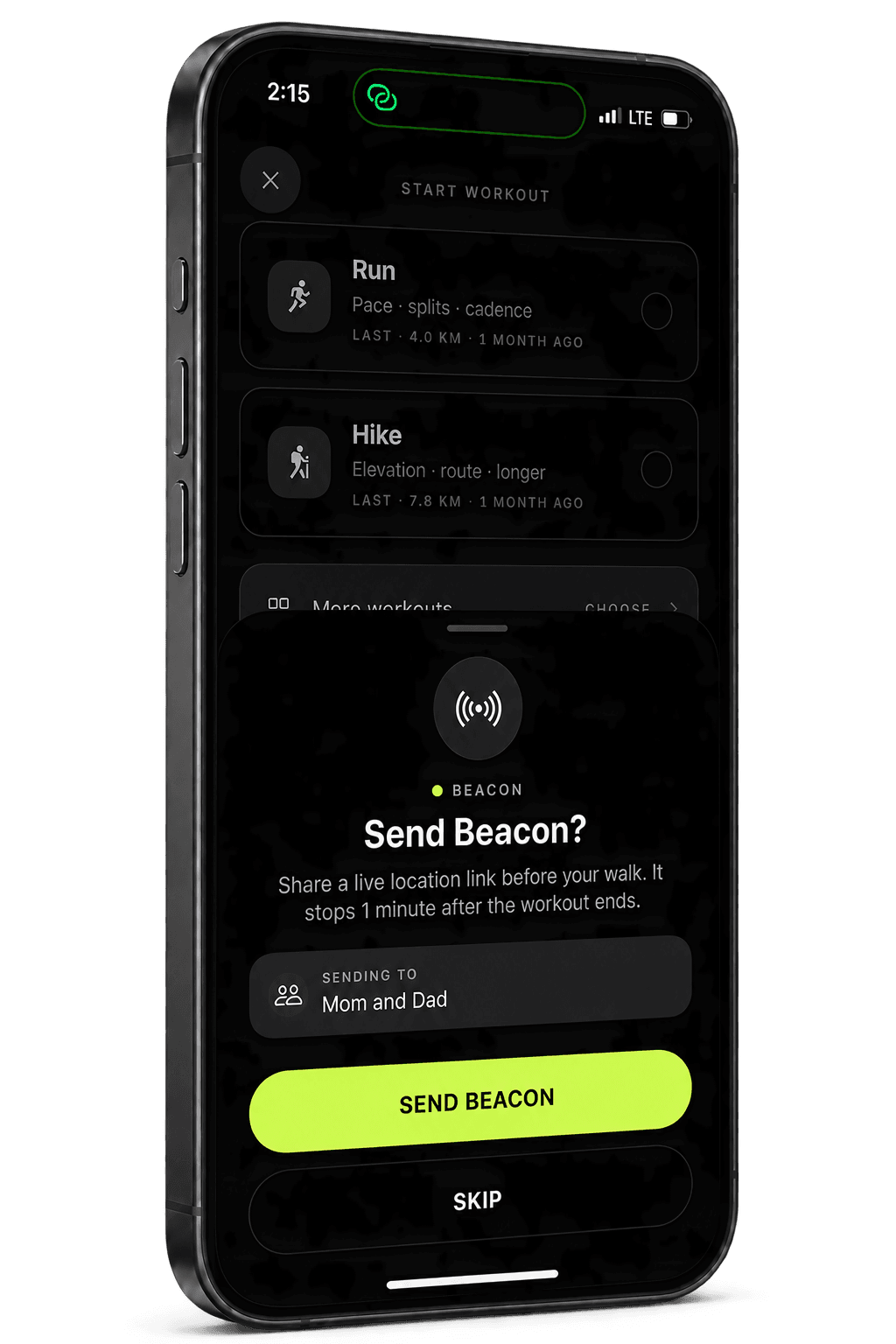
When the Beacon prompt appears, review the recipient names and the explanation of what the link shares.
Choose Send beacon.
Taqvo opens Messages with the link prepared. Send the message to your intended contacts. Opening the message composer alone does not deliver the link.
Have your contact open the link.
It opens in their browser, where they can follow the location and route that your phone has shared. No app or account is required on their side.
Check the Beacon status during your workout.
The status sheet lets you copy the link, resend the SMS or end the Beacon. Keep the link within the small group you intended to share with.
Signal loss and ending a Beacon
If your phone loses its connection, the link can show the last known position rather than a fresh location. Updates resume when the phone is back online. A marker that hasn’t moved is not proof that you’re still standing there.
The link closes when Beacon ends, normally one minute after your workout finishes. You can also choose End beacon in the status sheet. Sending an end request requires an internet connection; without it, the link can remain available until its automatic expiry. Check the status instead of assuming that closing the app ended sharing.
What Beacon does—and doesn’t—do
Beacon is a way to share a workout in progress with someone you choose. It isn’t an emergency service, it doesn’t call for help, and nobody at Taqvo monitors your workout. In an emergency, contact your local emergency number.
For everyday plans, agree with your contact on when you expect to return and how you’ll check in. Beacon can provide location context while you’re out, alongside that conversation.
Need a hand? Visit Taqvo support.